
Please follow this steps.
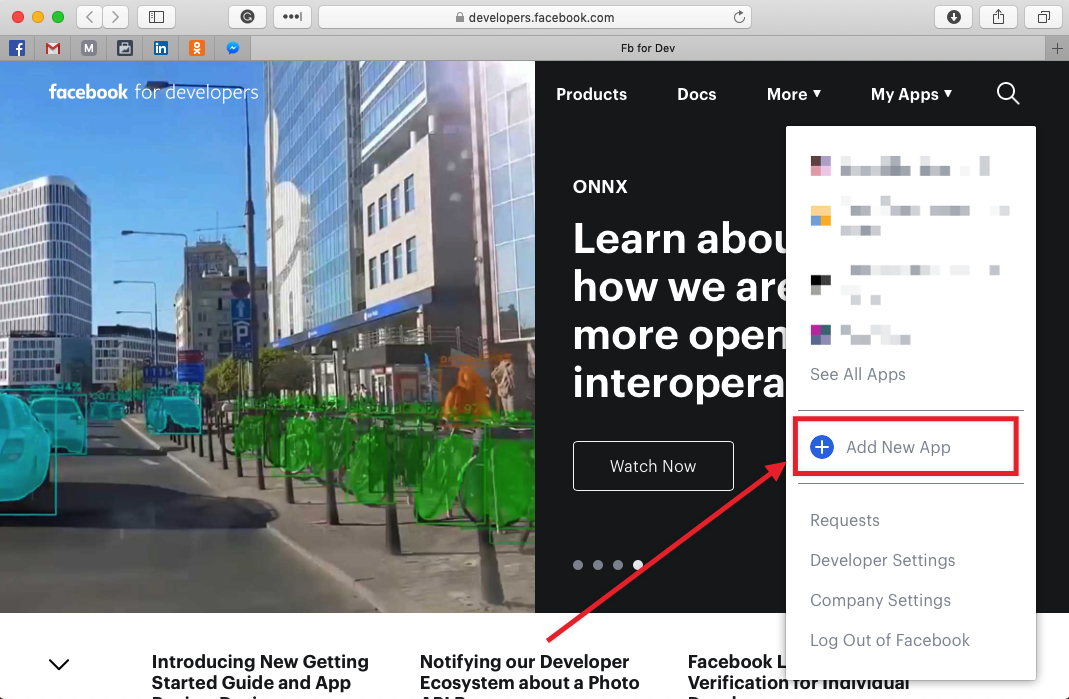
Open Facebook Developer Console => https://developers.facebook.com

PRESS "ADD NEW APP"
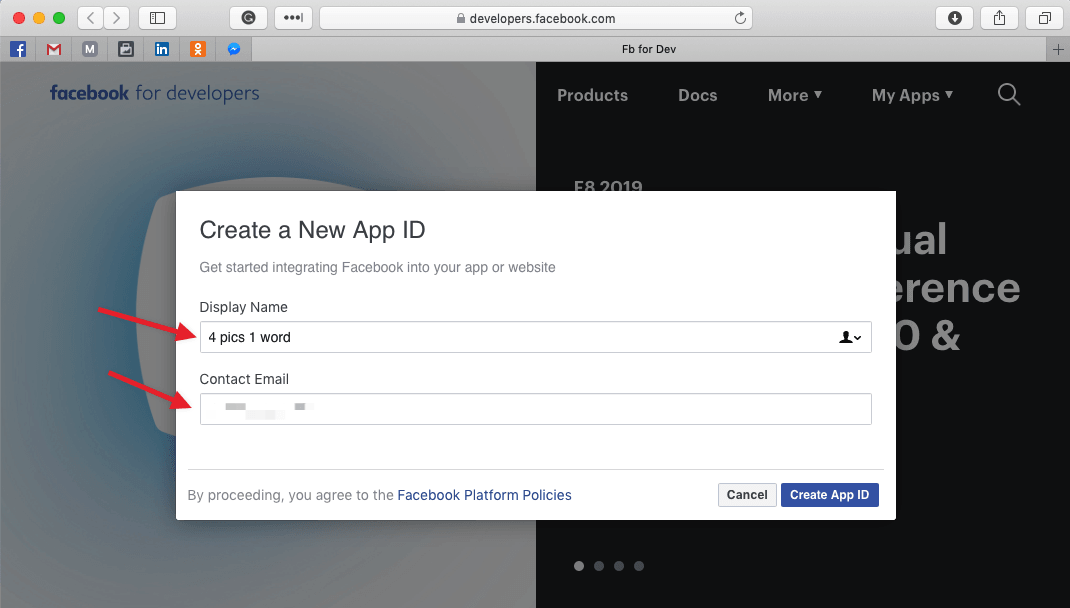
Insert DISPLAY NAME, EMAIL and press CREAT APP ID
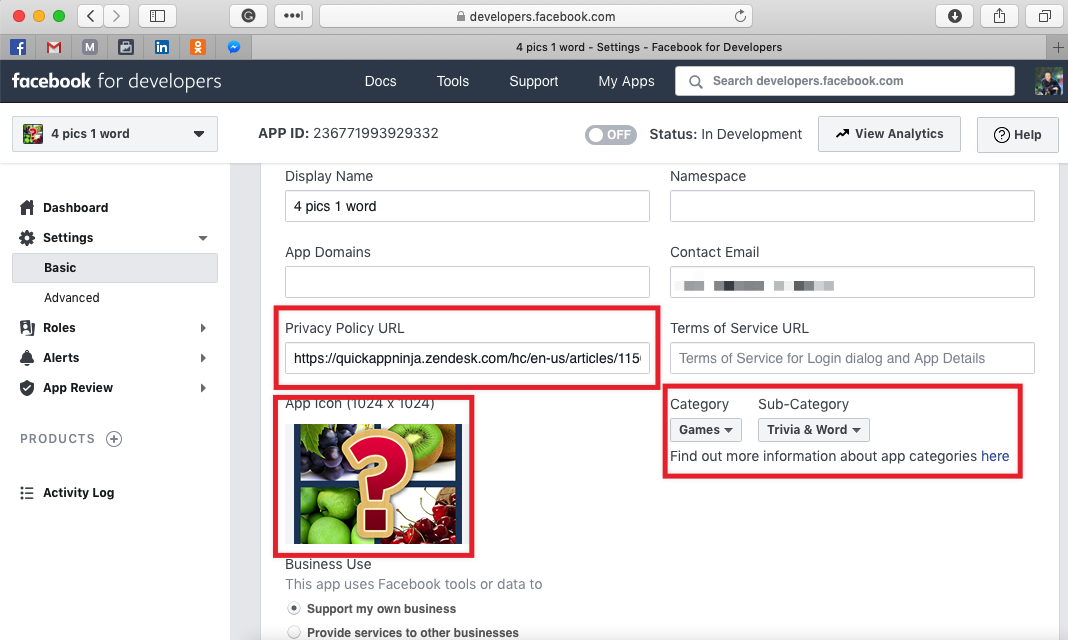
SETTINGS => BASIC
Submit following info:
- Privacy Policy URL (you can take it from here - https://quickappninja.zendesk.com/hc/en-us/articles/115000093885)
- App Icon (you already have game icon 512x512 (icon is located in media pack), but you need to open any image editor and increase size to 1024x1024)
- Category > Sub-category (select "Games" => "Trivia & Word")
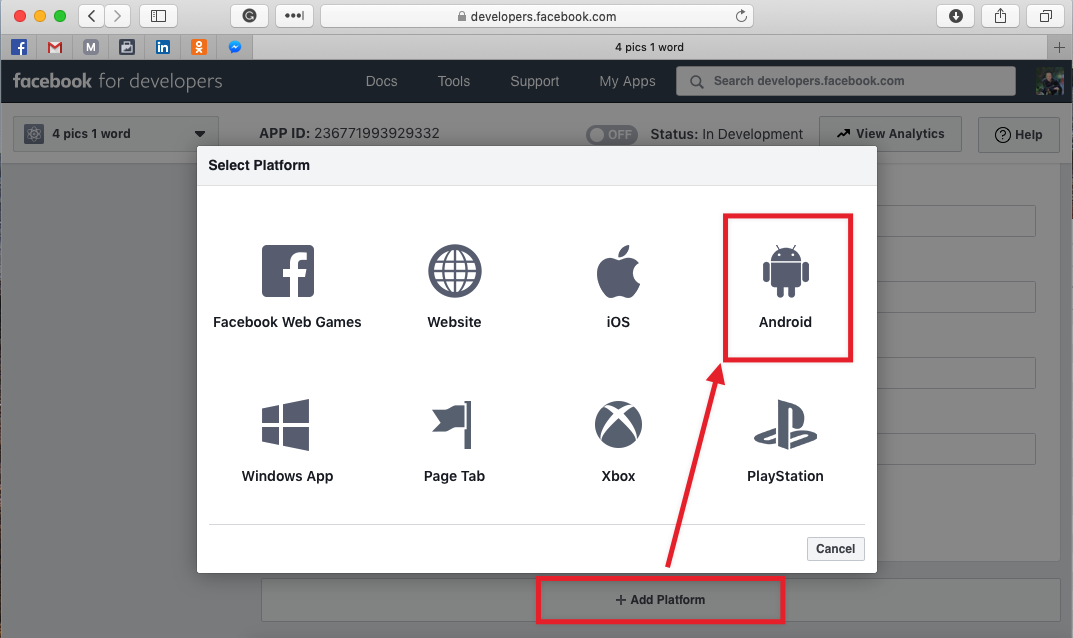
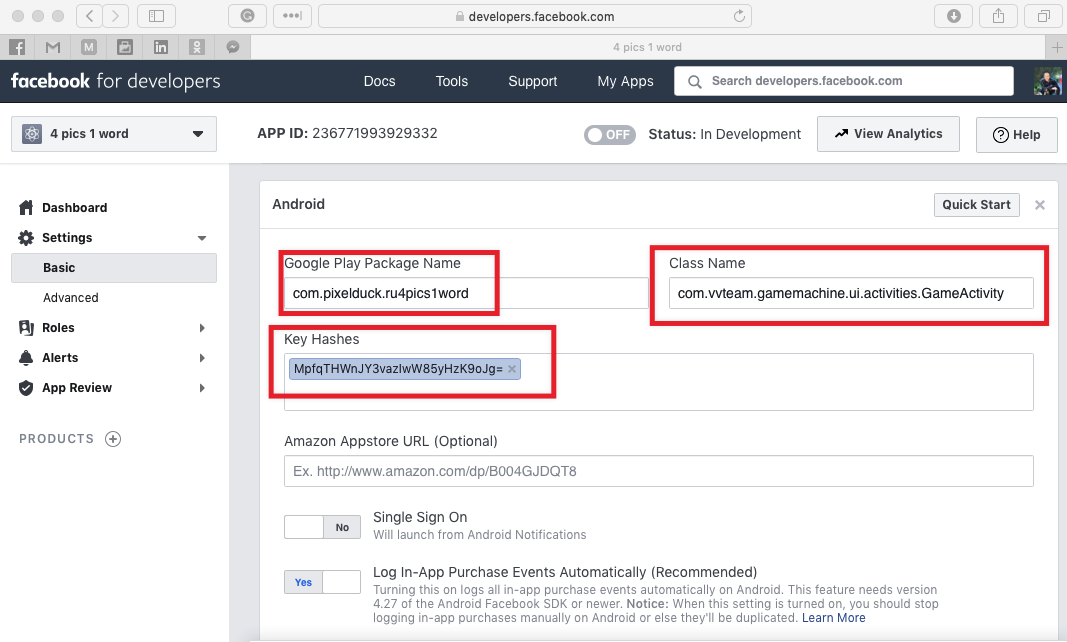
ADD PLATFORM => ANDROID
Submit following info:
- Package Name
- Key Hashes
- Class Name
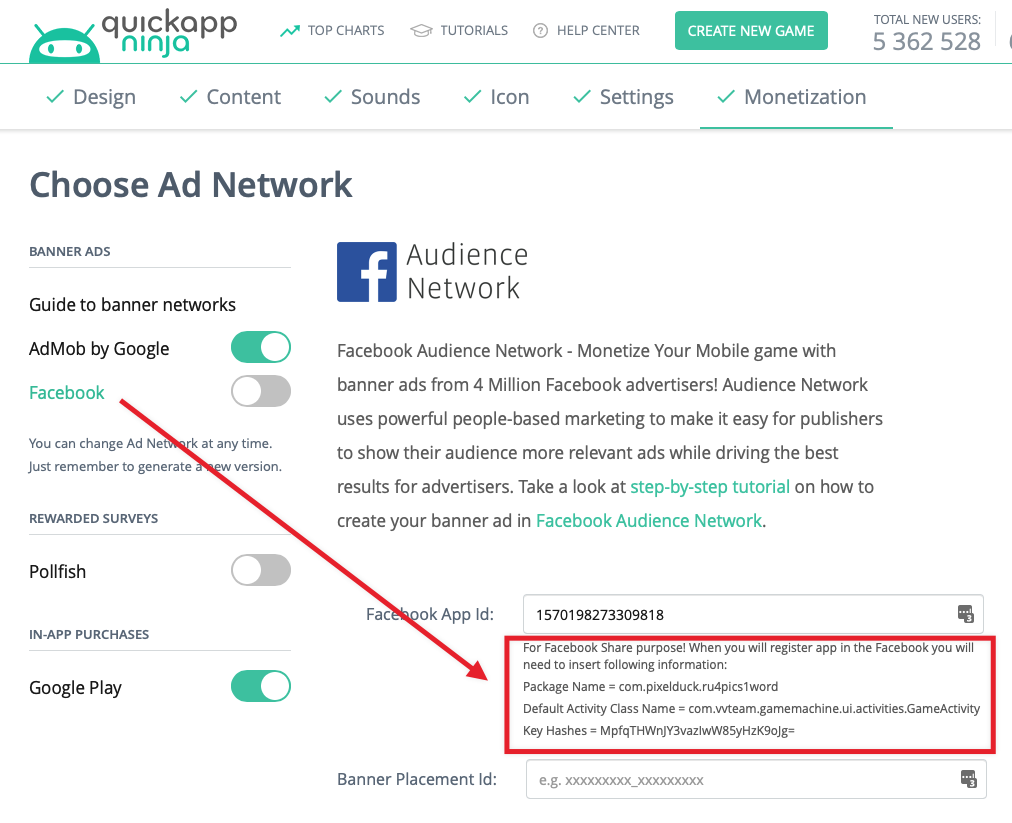
ATTENTION: Package name, key hashes, class name you can find in QuickAppNinja Wizard under the Facebook field.
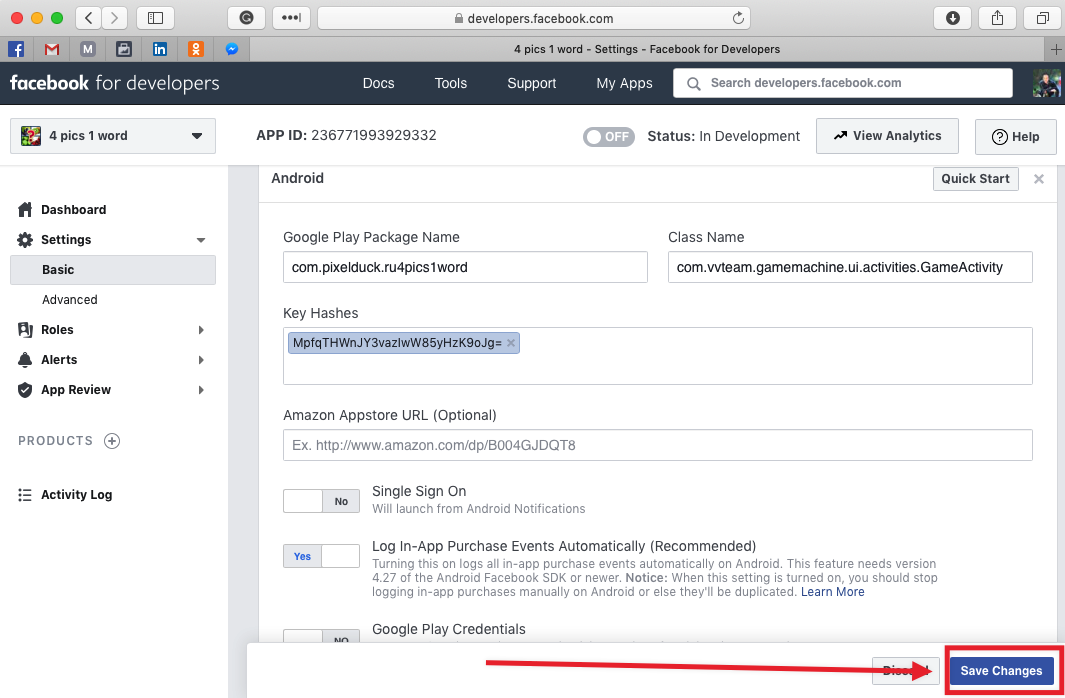
Press SAVE CHANGES button
CONGRATULATION! You added your game into Facebook!
0 Comments